
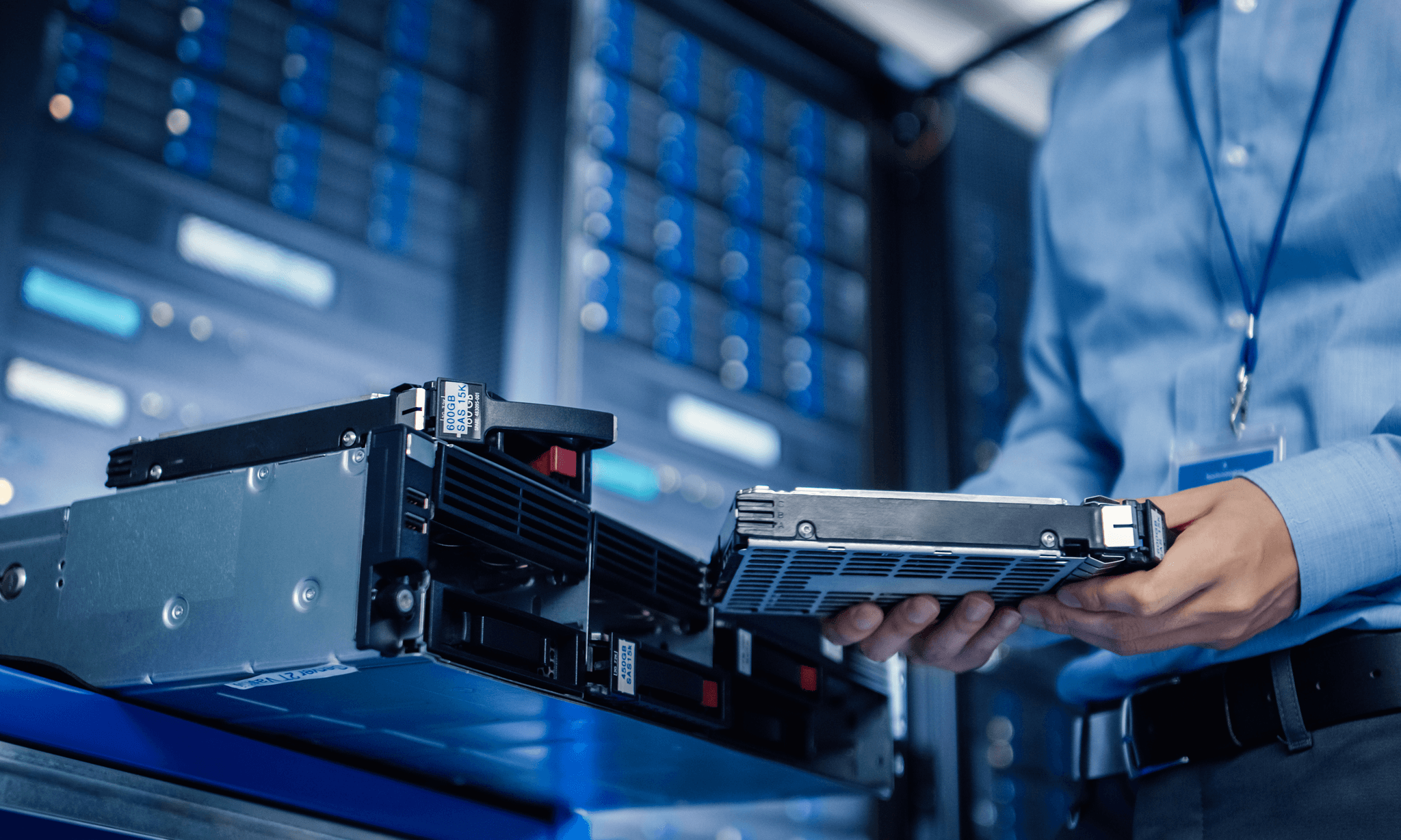
A successful Data Center Decommissioning (DCC) project requires absolute predictability. DCC is a highly technical, multi-phase operation that goes far beyond simply unplugging hardware; it encompasses asset discovery, infrastructure uninstallation, environmental compliance, and secure data sanitization. Every cable, storage drive, and server rack must be accounted for within a centralized master inventory system before operations begin.
This guide outlines the critical preparatory phases required before physical uninstallation. We examine asset serialization and labeling protocols, specialized white-glove logistics for high-value enterprise electronics, and verified data destruction methods, including electromagnetic degaussing and physical hard-drive shredding.
What Is Data Center Decommissioning?
Data center decommissioning refers to the official termination of a data center or individual data center module service. This isn’t as simple as turning off the lights and locking the doors. This is a large undertaking that requires physical labor, data security, and the responsibility to take care of the environment.
At the end of a facility’s lifecycle, or when a company is moving to the cloud, all the hardware – from the tiniest hard drive to the backup generators- needs to be accounted for, wiped and taken off.
The goal is to come out of this facility safely, without leaving behind sensitive information or disturbing everyday operations. This process is too risky to do in-house, and most businesses have discovered this, which is why they hire a data center decommissioning company in Illinois to manage the technical and physical heavy lifting.
Why Does The Process Matters?
A poorly executed shutdown can have serious consequences. If one hard drive slips out, the amount of money you lose in fines and damage to your brand can get into the millions. Also, data centers have hazardous materials, including chemical fire suppressants, lead-acid batteries, and more—all of which must be disposed of in accordance with strict environmental regulations.
With the proper data center decommissioning process, you ensure that:
- Data Is Deleted: All company and customer information is erased and/or physically gone.
- Recovered Value: The networking gear and servers can be sold to recover the project cost.
- Follow Compliance: You get a document record showing that you complied with privacy and environmental requirements.
The Role Of Professional Data Center Decommissioning Companies
Attempting to handle all these elements alone is a surefire way to disaster. Most IT teams can run a data centre well, but they’re not necessarily trained in breaking it apart.
Professional data center decommissioning companies like TekNext Global come with a staff who is familiar with everything mentioned above. They understand how to safely disconnect a 480-volt power feed, how to pack a fragile fiber optic switch, and how to keep track of a thousand hard drives without losing one.
To communicate more effectively with them, you need to understand the elements of your data center. You can provide them with a more precise ‘Bill of Materials,’ resulting in a more accurate quote and a smoother journey of the project.
The Components Of A Data Center
A data center is often considered a massive room with lots of flickering lights. But as far as the job goes, a data center is a multi-layered, complicated system of interconnected parts. Every hardware comes with its own lifecycle, maintenance requirements, and its own retirement trajectory as part of the data center decommissioning journey.
If you’re going to run a facility effectively—or shut one down—then you need to know exactly what’s in it. This guide discusses the physical and technical aspects of today’s data center.
We’ll check out all the bits and pieces running in the servers, large air-cooling systems that hang in the room to keep things cool, and much more. Knowing these components is the first step in determining what data center decommissioning services you may need when it’s time to upgrade or relocate.
Servers
The workhorses of the facility are the servers. They are available in a variety of forms:
- Rack Servers: They are flat and rectangular in shape and arranged in a stack of metal racks. They are simple to replace and are ubiquitous in data centers.
- Blade Servers: They are even smaller. Most of the blades slip into a single chassis, which supplies all with power and networking.
- Mainframes: These are very large, powerful computers that process large amounts of data for banks and government entities.
Storage Systems
There has to be a place where the data exists. Storage components include:
- Hard Disk Drives (HDD): Traditional technology using spinning platters. They are not common but are used in cold storage or long storage.
- Solid State Drives (SSD): Much faster and more reliable than HDDs. They store data on flash memory chips and require special processes when decommissioning.
- Magnetic tape libraries: Many firms continue to use magnetic tape for long-term backup and storage, as it’s economical and durable.
Networking Equipment
If a server is not networked, then it is only a box in a room!
- Switches: These join together servers to allow them to communicate within the data center.
- Routers: They interface the data center with the outside world (the internet).
- Firewalls: These are the security gates that shield the servers from cyber attacks.
Power Infrastructure (The Energy Layer)
No data centre can operate without a reliable, uninterrupted power supply. The most challenging and liability items during the data center decommissioning process are often power components.
Uninterruptible Power Supply (UPS)
A UPS is similar to a large rechargeable battery. When the city power goes down, the UPS supplies power for some minutes, which is enough time for the backup generators to start up. These units include large lead-acid or lithium-ion batteries, which are best handled by a professional.
Power Distribution Units (PDUs)
The PDU is basically an upgraded industrial power strip. It takes the electricity from the main line and distributes it to the individual server racks. The modern PDU can now take measurements of how much power is being consumed by every server in the server room, allowing companies to uncover zombie servers that are wasting energy.
Backup Generators
Typically, large on-board or open-stall diesel engine generators are used by data centers. These have to be fuelled, fitted with an exhaust system, and taken for testing periodically. The uninstallation of a generator is a large construction process that requires cranes and fuel disposal teams.
Why Does Knowing These Components Matter for Decommissioning?
These components can’t be handled in the same way when it’s time to close a facility. Each one has a different end-of-life path.
Handling IT Assets
Sensitive data is stored on your servers and storage drives. The data center decommissioning process for these items must start with data sanitization. It is important to know whether your drives are HDD or SSD, as they need to be wiped differently. If you don’t know what components are in your racks, you can’t be sure your data is safe.
Handling Infrastructure
Chemicals and gases harmful to the environment are found in products such as UPS batteries and CRAC units. They cannot be simply thrown into a garbage bin. Data centre decommissioning services must know how to legally drain refrigerants and recycle lead-acid batteries.
Dealing With The Empty Space
The empty space elements are the use of the racks, cables, and flooring. They are not used for storage; they take up a lot of space and are heavy. The removal is a difficult task requiring the proper tools and personnel.
Setting Realistic Timelines For A Facility Exit
One of the most overlooked tasks of IT management is planning the exit from a data center. Many leaders believe that a server can be set up in a day and can be deleted in a week. That thinking can result in missed deadlines and security complications. The only way to keep the project on track is to establish a realistic time frame.
There is a need to set the right balance between fulfilling the needs of IT, finance, legal, and the owner so that an exit could be successful. If you’re relocating to a new site or going out of business, you have to critically examine the timeline. From three to nine months is the time required for most large-scale projects.
The Pre-Planning Phase (Month 1)
The first month shouldn’t involve moving any equipment. It’s all about discovery and coordination. You should bring your team together and determine which data center decommissioning services you will require.
Outline The Project Scope
You will need to make a close decision about what is to be decommissioned. Do you have to empty the whole building, or just a pod of racks? You also need to determine your hard stop date. This typically occurs on the day the building’s power is to be disconnected or on the day the lease expires. It is also wise to review the facility lease contract. Does the landlord require you to remove the racks? Are raised floors required to be removed? One of the most important things you should know about the room is the return condition.
Assemble The Team
Decommissioning is not a one-man job. It’s important to have a project manager to keep track of the timeline, a technical lead to organize the data transfer, and a facilities lead to take care of power and cooling systems. It’s also the time to begin interviewing data center decommissioning companies. These experts provide the tools and skilled personnel that most internal IT teams don’t.
Planning Budgets And Allocating Resources
It’s costly to move thousands of pounds of equipment and shatter thousands of drives. Factors to consider include labor, specialty packing material, safe shipping methods, and recycling costs. But you should also figure out the recovery value of your equipment.
Vendor Selection
This takes time when searching for the right data center decommissioning company. You have to address requests for proposals and look at certifications and insurance coverage. Check out TekNext Global’s data center decommissioning service in Illinois.
Today, various data center decommissioning services can assist you in selling your old servers to defray the expense of the project.
Inventory Audit
This takes about two weeks to sign off on the items that are in the room. There’s a strong chance that a paper list from three years ago is incorrect. One has to physically inspect every asset to determine what needs to be decommissioned.
- Physical Walkthrough
Each team will have to make its way through each aisle, looking at the serial number of each server, switch, and storage array. Check for hidden items, such as backup tapes in desk drawers or spare parts in the storage room.
- Software And License Inventory
The computer (machine) must have its software identified before it can be turned off. You may need to harvest these licenses so they can be used on your new servers. This will stop you from paying for software that’s no longer being used.
- Categorization
Label each asset with its destination:
- Resale: The actual market value of modern equipment.
- Repurpose: Tools that can be relocated to a different company office.
- Recycle: No longer useful or saleable, outmoded equipment.
- Destroy: Storage media that require crushing to destroy data.
The Data Sanitization and Security Window (Months 2-3)
This is the most critical phase for your company’s legal safety. A single hard drive ending up on an auction site with customer data still on it can lead to a catastrophic breach.
Data Migration Verification
Never begin the data center decommissioning process until you have confirmed that all active data has been moved to its new home. Your technical team should sign off on a Final Sync to ensure no files were left behind during the migration.
Choosing a Destruction Method
Once you know what you’ve got, you have to work with the data destruction team. This is the phase that most people would like to cut corners on, and it’s the riskiest. You have three main options for data destruction:
- Wiping vs Shredding: If you have decided to wipe drives for resale, this will take time. It can take 24 to 48 hours to complete a single secure wipe pass with high-capacity drives. If your drives are in the thousands, you will need to estimate the speed of your wiping machines.
- On-Site Shredding Logistics: If you are going to hire professionals to shred on-site, you have to schedule the truck. These dedicated shredders usually come with a waitlist for weeks.
- Validation: It takes time to gather certificates after data is destroyed. The physical hardware should not be transferred until a complete list of equipment is verified with the inventory list and destruction receipts.
Certificates of Destruction
If you hire a data destruction company to handle your data, they must provide a serialized report. This report lists the serial number of every drive they destroyed. This is your get out of jail free card if an auditor ever asks where your data went.
Physical Uninstallation And Infrastructure (Month 4)
After the data destruction is taken care of, the heavy work begins. This is where the facility starts to look like a construction site.
Complete Shutdown
You need licensed professionals to safely de-energize the room. This might require coordinating with the building’s main power engineer, which can take days to schedule. All servers will be switched off as per normal shutdown procedures. This will stop electrical bumps and help to make sure remaining software processes shut down properly.
Electrical And Mechanical Disconnection
Only licensed professionals can cut the power off from the main feeds. This includes the UPS battery systems and the backup generators. In many cases, the cooling systems (cracked units) need to be drained of the refrigerant gases before they can be moved.
Moving massive items like UPS batteries or backup generators requires special permits and rigging equipment. If your data center is on a higher floor level in the building, you might need to reserve the freight elevator weeks in advance.
Cable Mining
In a typical data center, you’ll find miles of copper and fiber optic lines throughout the ceiling and under the floor. Removing the overhead and under-floor cabling is a slow, manual process. If you have a clean room requirement from your landlord, this phase alone can take two full weeks of labor. Professionals execute the cable mining to clean such trails. This is often a requirement of your lease agreement—if you leave the old cables behind, the landlord may charge you a cleanup fee.
Rack Stripping
The servers are dismounted from racks and transferred to special lifting machines. Enterprise equipment is extremely heavy; rejecting the use of the correct equipment will ward off specific injuries such as back injuries and accidental drops. These are packaged in anti-static bags and padded boxes for shipment.
Logistics And Asset Recovery (Month 5)
As the equipment leaves the building, the focus shifts to transportation and getting money back for your IT equipment.
Secure Transport
Moving your equipment to a warehouse or a recycling center isn’t a one-day job. Usually requires several truckload deliveries. However, if your data center decommissioning firm provides secure, GPS-tracked product transport, you must plan the e-waste pickups.
Resale Market Timing
If resale is your way to recoup the costs, you must ensure that your old servers have value in the marketplace when you put them on offer. The tech moves fast, and there’s a 20% chance that in another three months you’ll see a 20% reduction in what you’ll get back.
Recycling Audits
For items that can’t be sold, you need to wait for the recycling facility to provide a final green report, proving the materials were handled ethically.
Final Review And Handover (Month 6)
The final month is about the white space. This is the goal of every data center decommissioning process: leaving a clean, empty room.
Patching and Cleaning
After removing racks, you will notice holes in the floor or marks on the wall. The space has to be cleaned and put back together to fit the landlord’s standards. The final step is to restore the data centre floor to its previous state. This includes:
- Removing the server racks and cabinets.
- Lifting the raised floor tiles (if necessary).
- Sealing holes in any walls or ceiling.
- Deep cleaning the white space to clean and remove dust and debris.
Final Walkthrough
Schedule a walkthrough with the building manager two or more weeks before the lease ends. This will provide you with a buffer to rectify the problems that they find before having to pay for another full month of rent.
The Closing Binder
Compare your final Inventory Removed list to your initial audit list. Each item needs to be covered. If there’s a switch missing, you have to find out where it went.
Collect all certificates, shipping manifests, and final invoices. This Closing Binder is the one you give your legal or compliance department to show them you have done the correct job. Gather all your documentation into one place. This should include:
- The master asset list.
- Certificates of data destruction.
- Shipping manifests and bills of lading.
- Recycling receipts and environmental reports.
Keep this binder in a safe place. If your company is ever audited for data privacy or environmental compliance, this is the proof you need.
How To Budget For Data Center Decommissioning Services?
When it comes to closing a data center, many IT managers focus entirely on the technical migration. They spend months planning how to move data to the cloud or a new facility, but they often leave the physical cleanup as an afterthought.
This is a mistake that leads to budget shock. The cost of dismantling a data center, securing the data, and hauling away tons of steel and copper can be high.
If you don’t set a realistic budget early, you will find yourself hit with hidden fees for cable mining, hazardous waste disposal, or emergency data shredding. To avoid these surprises, you need to understand the financial drivers behind data center decommissioning services.
The Core Cost Drivers
Asset Volume
How many racks are you clearing? Ten racks made up in one room are a very different project than five hundred in one large room. The more equipment or machinery you have, the more labor, packing materials, and trucks you need.
Facility Complexity
Do you run your data center on the ground floor with a loading dock or on the 20th floor of a high-rise in downtown? Labour costs will increase where the movers must operate within confined areas, or access cannot be achieved with regular cranes.
Data Sensitivity
If you are not writing down and wiping hard disks at a central warehouse, it will be less expensive. That specialized mobile shredding service is an added cost if you need someone to travel to your site to shred drives in your parking lot as your security policy requires.
Estimate Labor And Physical Removal
The physical teardown is the hardest aspect of data center decommissioning to implement. You aren’t paying for people to transport cases; you’re paying for labor.
Uninstallation Technicians
You will need technicians who are familiar with the safe removal of the servers, particularly if you are selling them. You should be ready to pay some extra for a group of experienced movers who have experience with moving IT hardware.
Electrical And Mechanical Work
You cannot ask a standard mover to disconnect a massive UPS battery or a backup generator. You must budget for licensed electricians and HVAC technicians to de-energize the room and drain refrigerants safely.
The Cost Of The DIY Trap
For many companies, the goal is to cut costs by doing the decommissioning with the company’s own IT personnel. This frequently has the opposite effect and is expensive in the long run.
- The hidden cost: Every hour that your highest-value engineers spend on pulling cable is a lost hour for them on the new cloud migration and higher-value projects.
- Risk of Injury: IT staff are not professional movers. Back injuries or crushed fingers lead to workers’ compensation claims.
- Liability Risk: If a single employee forgets to wipe a drive, the legal costs of the resulting breach will cost a lot more than you ever paid a professional company to do it.
Cost Benchmarks: 10 Racks vs. 50 Racks
The costs vary depending on data density, location, and the amount of cabling, but these are real-world examples of the budgetary differences between a localized server footprint and a medium enterprise infrastructure.
Scenario A: Small Business Footprint (10 Racks)
This scenario assumes that the small business has a footprint of 10 Racks. A decommissioning project for a 10-rack setup will usually be a centralized corporate server room or a small local data center.
- Assets Volume: 150-300 assets (servers, switches, storage arrays)
- Estimated Labor Time: 1-2 days on site
- Projected Cost Breakdown:
- Labor & De-installation: $3,000 – $6,000 (standard rack clearing and basic cable removal).
- Data Destruction: $1,500 – $3,500 (varies depending on the number of drives and onsite shredding).
- Logistics & Transport: $1,500 – $3,000 (dedicated secure truck transit).
- Environmental Recycling: $500 – $1,200.
- Total Estimated Budget Range: $6,500 – $13,700
Scenario B: SME Data Center Footprint (50 Racks)
A 50-rack project is a standalone corporate data center or a large co-location cage. This scale brings in complex infrastructure issues, including significant network architecture and under-floor cabling.
- Assets Volume: 1,000 to 2,000+ assets
- Estimated Labor Time: 4-7 days on site
- Projected Cost Breakdown:
- Labour & De-installation: $20,000 to $45,000 (Dedicated Project Management, Engineering teams, intensive cable mining).
- Data Destruction: $8,000 – $20,000 (high-volume drive processing, serializing and compliance certificates).
- Logistics & Transport: $6,000 – $15,000 (several dedicated, secure climate-controlled trucks).
- Environmental Recycling/Disposal: $3,000 – $8,000 (handling heavy enterprise backup power systems/UPS and server racks).
- Total Estimated Budget Range: $37,000 – $88,000
The Value Offset Factor
Please note that your final invoice could be less than these estimates because of Asset Resale Value.
A professional ITAD vendor can test and resell your decommissioned servers, RAM, CPUs, and networking equipment if they are fairly new (typically within 3-5 years).
- Residual value may be 10-30% of the project cost for a 10-rack system.
- The resale value of high-density storage and enterprise switches may sometimes fully compensate for the cost of labor and logistics, and sometimes make a decommissioning project a net profit or a net zero expense for a 50-rack system.
Bottom Line
You have to pay to close a site, but you do get money back too. A professional data center decommissioning service will assist with identifying viable hardware. The labor and shipping optimization could be covered by selling old servers.
However, you need to carry out the project responsibly and attentively to avoid damage. That is what makes data center decommissioning companies so beneficial. They can safely package and ship. Good decommissioning saves your money and your budget. It saves a lot of time and is a strategic business decision for your team.
FAQs
It is the process of safely decommissioning and exiting the facility of old IT equipment. This involves formatting and recycling or reselling hardware.
Data center decommissioning experts deliver a certificate for every drive being shredded or wiped by them. They help you avoid expensive mistakes and keep your company’s information secure.
Data center decommissioning professionals take a highly structured approach to the decommissioning and demolition (if required) of the data center. From start to finish, they adhere to all safety standards to ensure that no data is lost and no damage to the environment is caused.
Professional data center decommissioning service providers team up with data destruction teams and provide a certificate for every drive they shred or wipe. This paperwork is your official proof that the data is gone forever.
A company will take in broken or old gears for re-condensation into raw metals in a dedicated facility. Copper, gold, and steel materials are recovered and made into new products, while the rest is recycled responsibly.
Not if you first move your live data to the cloud or a new site. A professional team can phase out the old equipment without disruption to your business.